Track spending and give better advice.
Help clients spend smarter and save more by tracking spending, uncovering patterns, and putting Dora to work finding opportunities to save.

Track spending and give better advice.
Help clients spend smarter and save more by tracking spending, uncovering patterns, and putting Dora to work finding opportunities to save.
Track spending and give better advice.
Help clients spend smarter and save more by tracking spending, uncovering patterns, and putting Dora to work finding opportunities to save.
Financial plans live or die in the cash flow.
Link accounts or import existing history.
Give clients a current spending picture by linking accounts or importing transaction history from another tracker, CSV, or spreadsheet.

Link accounts or import existing history.
Give clients a current spending picture by linking accounts or importing transaction history from another tracker, CSV, or spreadsheet.
Link accounts or import existing history.
Give clients a current spending picture by linking accounts or importing transaction history from another tracker, CSV, or spreadsheet.
Tracking is easy with Dora and Rules.
Create custom categories and groups, then use Dora and rules to clean up transactions. Add tags to track planning context without changing your category structure.

Tracking is easy with Dora and Rules.
Create custom categories and groups, then use Dora and rules to clean up transactions. Add tags to track planning context without changing your category structure.
Tracking is easy with Dora and Rules.
Create custom categories and groups, then use Dora and rules to clean up transactions. Add tags to track planning context without changing your category structure.
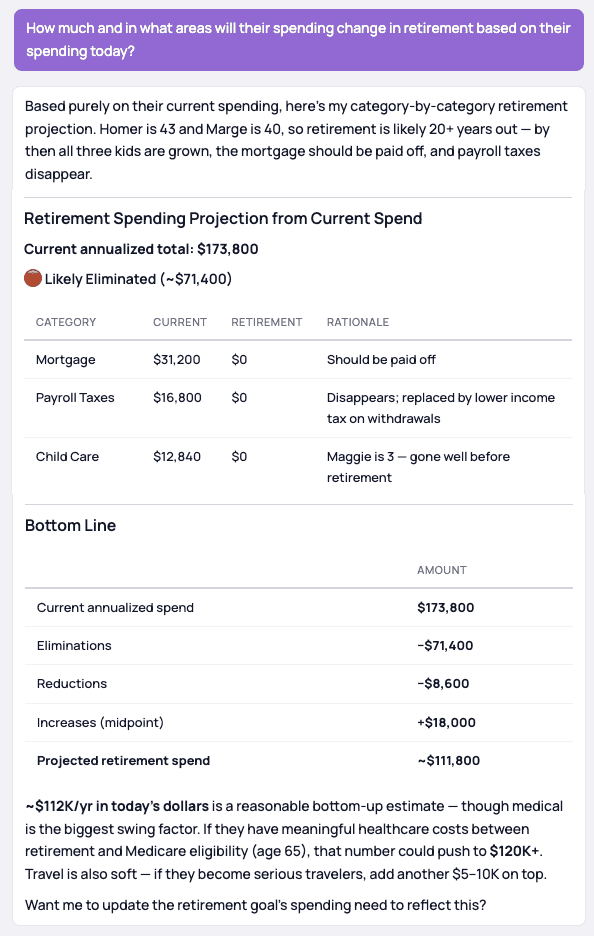
Dora connects spending to the full plan.
Compare spending with goals, savings targets, retirement needs, liquidity, and debt strategy so clients can see the tradeoffs behind spending decisions.

Dora connects spending to the full plan.
Compare spending with goals, savings targets, retirement needs, liquidity, and debt strategy so clients can see the tradeoffs behind spending decisions.
Dora connects spending to the full plan.
Compare spending with goals, savings targets, retirement needs, liquidity, and debt strategy so clients can see the tradeoffs behind spending decisions.
Deeper analysis tied directly to the plan
Use Dora to ask follow-up questions, compare spending against goals, and turn the answer into plan updates you can review.