No more manual data entry.
Populate plans in minutes by extracting client documents, linking accounts, sending onboarding forms, or simply telling Dora what to add or change.
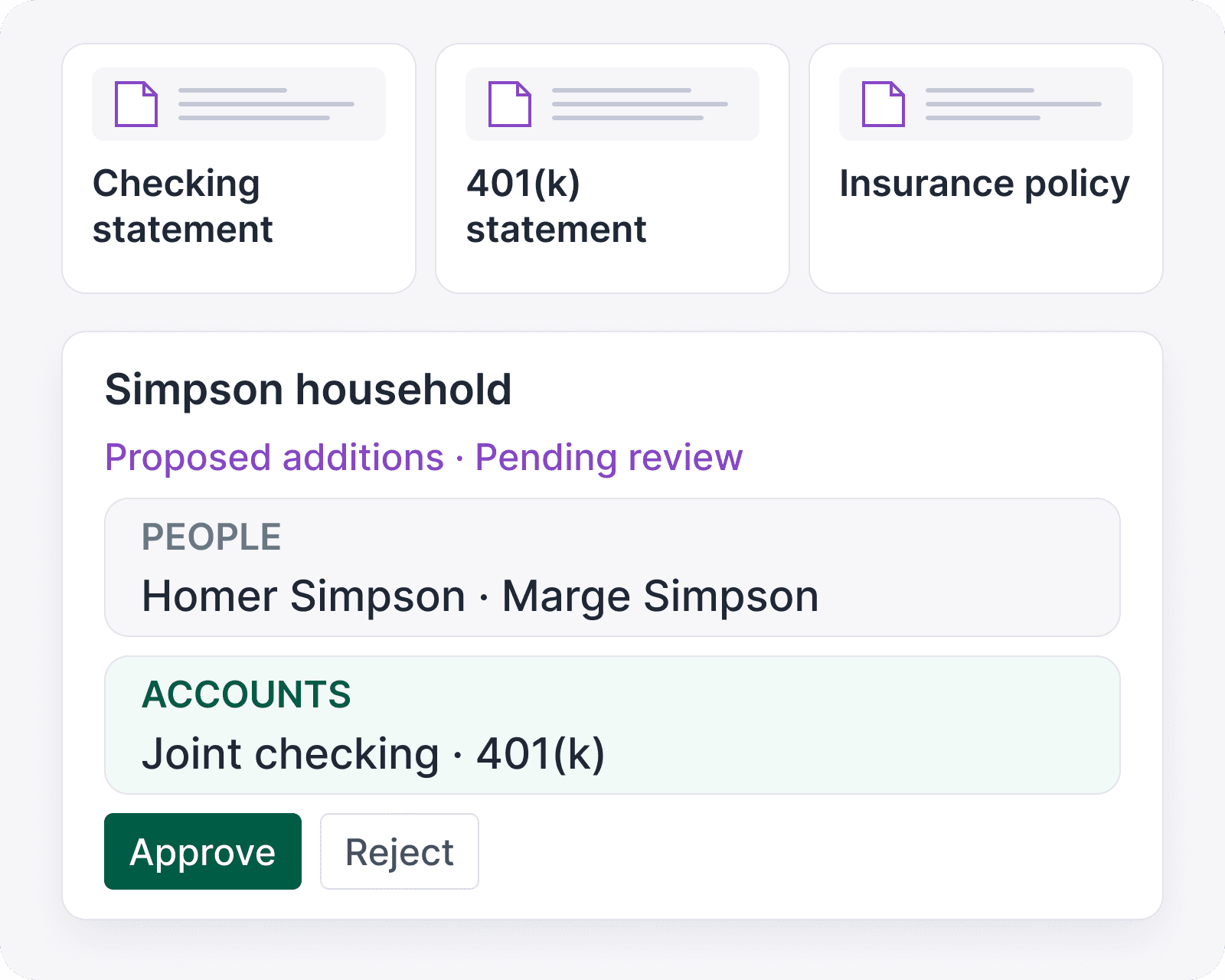
No more manual data entry.
Populate plans in minutes by extracting client documents, linking accounts, sending onboarding forms, or simply telling Dora what to add or change.
No more manual data entry.
Populate plans in minutes by extracting client documents, linking accounts, sending onboarding forms, or simply telling Dora what to add or change.
If you can say it or see it,
you can bring it into Kerdora.
If you can say it or see it, you can bring it into Kerdora.
Extract from any type of document.
Turn PDFs, screenshots, spreadsheets, statements, forms, notes, and transcripts into structured facts you can review before adding them to a plan.
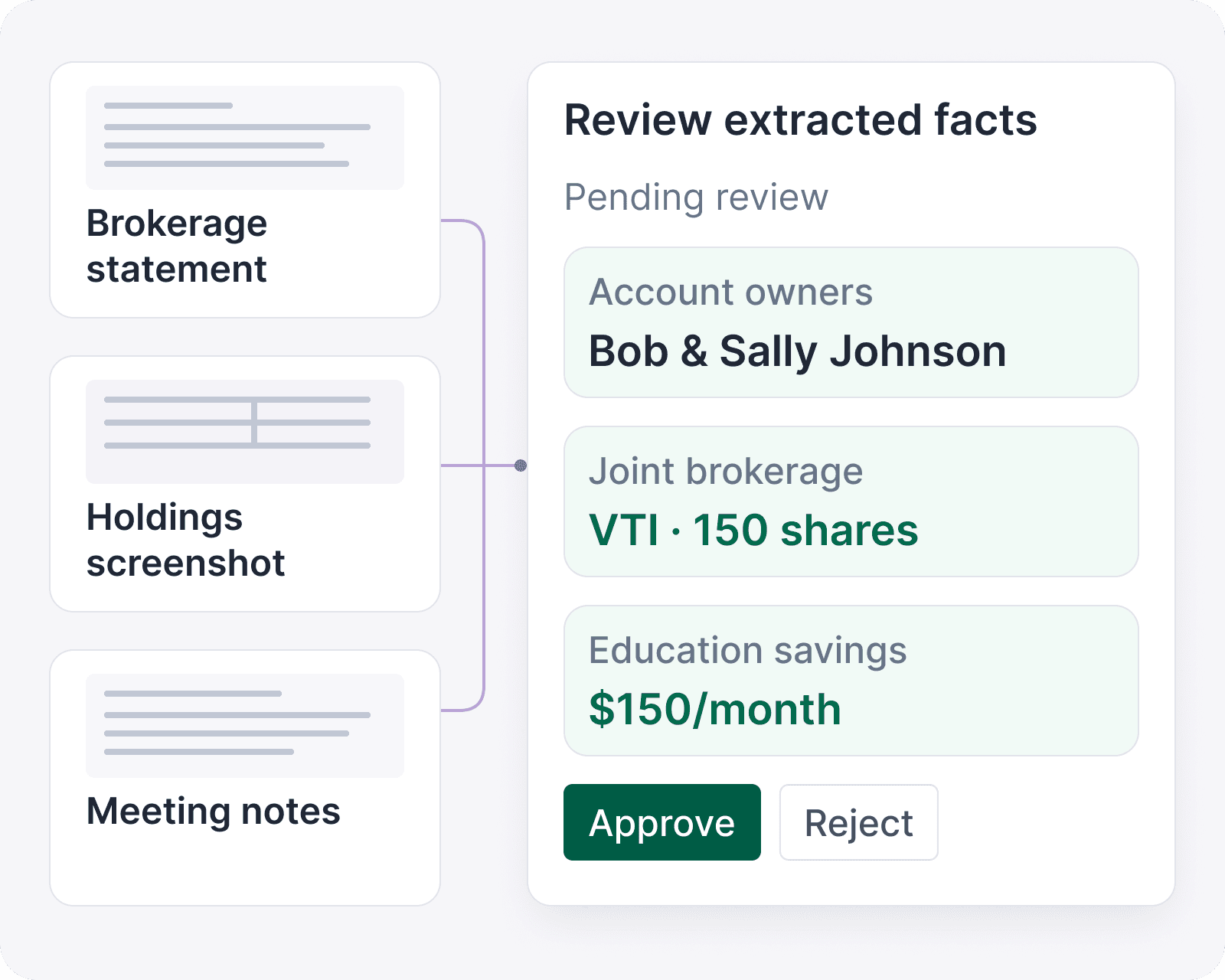
Extract from any type of document.
Turn PDFs, screenshots, spreadsheets, statements, forms, notes, and transcripts into structured facts you can review before adding them to a plan.
Extract from any type of document.
Turn PDFs, screenshots, spreadsheets, statements, forms, notes, and transcripts into structured facts you can review before adding them to a plan.
Tell Dora what to change.
Tell Dora what changed, then review drafted updates to balances, holdings, cash flow, and other plan inputs before applying them.

Tell Dora what to change.
Tell Dora what changed, then review drafted updates to balances, holdings, cash flow, and other plan inputs before applying them.
Tell Dora what to change.
Tell Dora what changed, then review drafted updates to balances, holdings, cash flow, and other plan inputs before applying them.
Send clients an easy-to-fill onboarding form.
Clients can upload documents, link accounts, and confirm details in a form they can complete at their own pace.
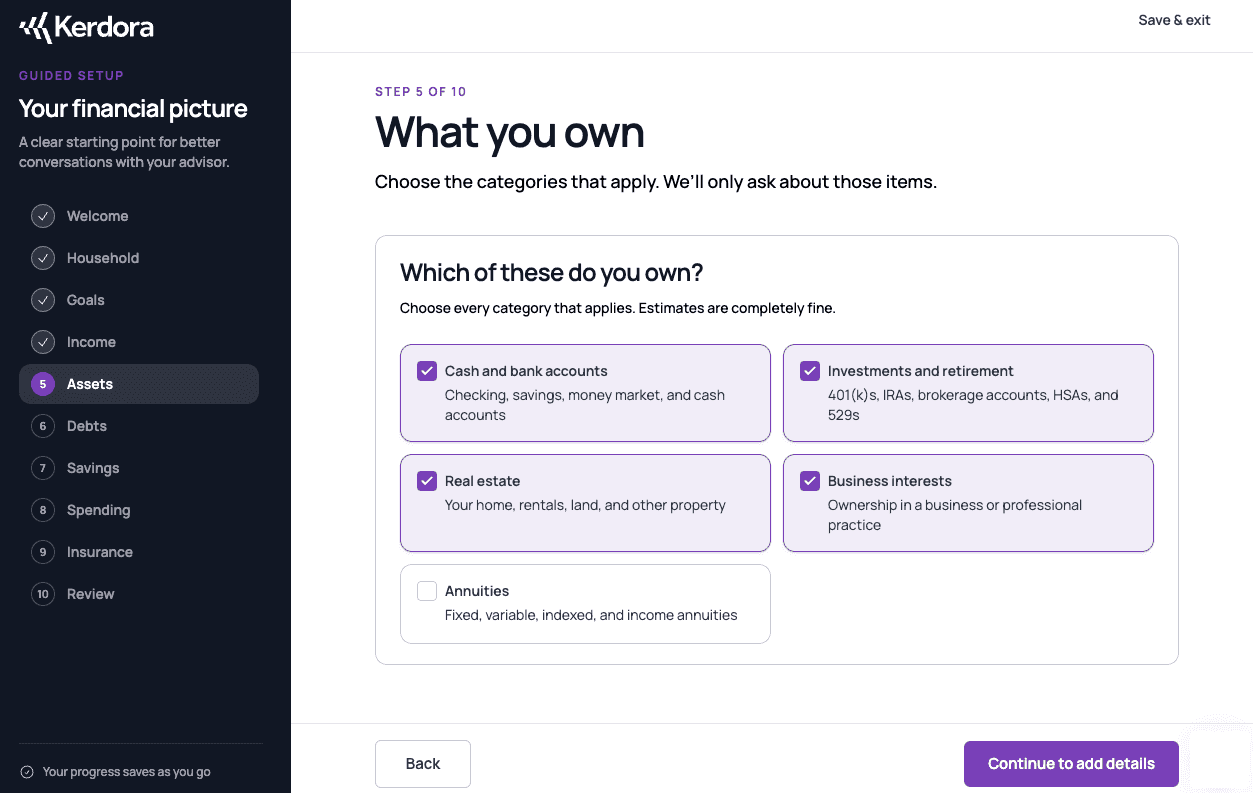
Send clients an easy-to-fill onboarding form.
Clients can upload documents, link accounts, and confirm details in a form they can complete at their own pace.
Send clients an easy-to-fill onboarding form.
Clients can upload documents, link accounts, and confirm details in a form they can complete at their own pace.
Link accounts at 12,000+ institutions.
Let clients link financial accounts so balances, holdings, and transactions stay current for planning.

Link accounts at 12,000+ institutions.
Let clients link financial accounts so balances, holdings, and transactions stay current for planning.
Link accounts at 12,000+ institutions.
Let clients link financial accounts so balances, holdings, and transactions stay current for planning.
Use whatever source is fastest.
Planning-tool exports
Upload CSV or PDF exports from the tools you already use.
Planning-tool exports
Upload CSV or PDF exports from the tools you already use.
Statements
Turn bank, credit card, brokerage, and insurance statements into reviewable data.
Statements
Turn bank, credit card, brokerage, and insurance statements into reviewable data.
Dictation
Use your computer’s built-in dictation to tell Dora what to add or change.
Dictation
Use your computer’s built-in dictation to tell Dora what to add or change.
Manual entry
Type it in when that is still the fastest path.
Manual entry
Type it in when that is still the fastest path.
Meeting transcripts
Upload a transcript and let Dora pull out facts, follow-ups, and open questions.
Meeting transcripts
Upload a transcript and let Dora pull out facts, follow-ups, and open questions.
Screenshots
Use screenshots when a client sends a portal screen, form, or account detail.
Screenshots
Use screenshots when a client sends a portal screen, form, or account detail.
Common questions about Data Gathering.
What file types can I upload?
Upload PDFs, Excel files, CSVs, images, or plain text, up to 50 MB per file. For extraction, export Word documents to PDF first; Word files can still be stored in a client portal.
What if Dora extracts something incorrectly?
Do clients have to link accounts?