Introducing Guides: Present Financial Plans the Way Your Clients Deserve to See Them
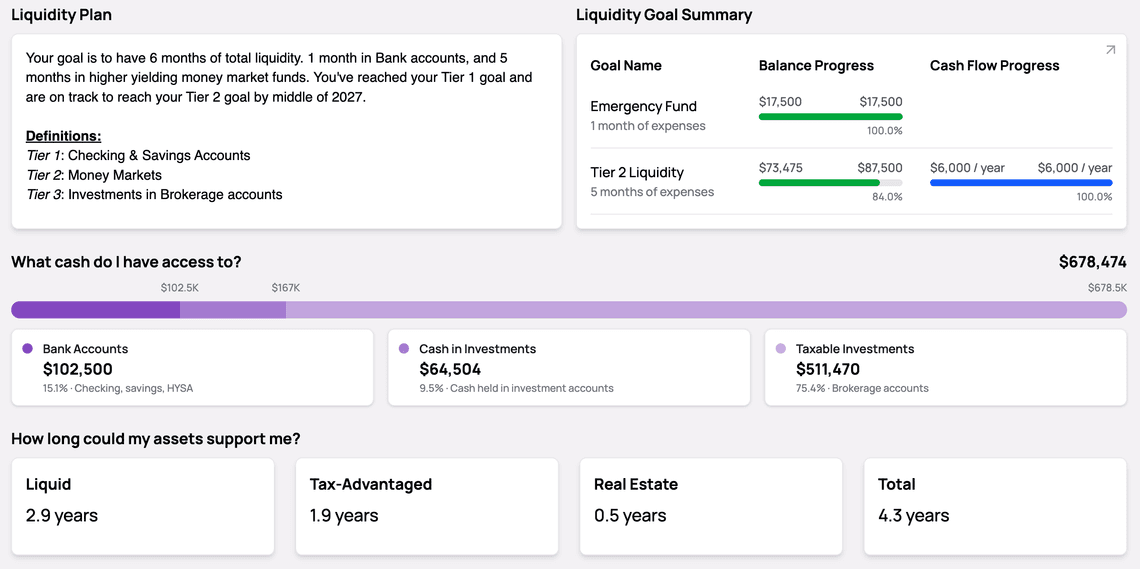
Create customizable dashboard templates for different client situations. Over 20 components, drag-and-drop editing, and branded PDF output.
You don't give every client the same advice. You shouldn't present it the same way either.
Until now, most financial planning tools showed all of them the same dashboard. Guides changes that.
Customizable Components
Over 20 dashboard components are available, including net worth, cash flow, goal tracking, investments, insurance, and estate planning. Advisors select only relevant sections for each client household.
Template System
Create reusable templates reflecting your planning methodology
Duplicate existing templates in seconds
Layer client-specific customizations while preserving base templates
An orange "(Client)" tag indicates personalized modifications
Client Experience
Clients see:
Clean dropdown navigation between assigned guides
Live, updated financial data
A dedicated "Changes to be made" tab
Layout organized specifically for their situation
Time-Saving Design
The editor features drag-and-drop functionality, searchable component palettes, and bulk visibility management. Setup takes minutes rather than hours.
Professional Output
Guides generate branded PDFs including firm logo, client information, all guide content, action items, and advisor disclosures. Ready for meetings or follow-up communication.
The feature is now available to all Kerdora users. The help center provides detailed component documentation.